Your client sees a simpler WordPress. You still see all of it.
Every other white-label plugin hides things for everyone, including you, so you end up switching settings off to do your own work. StoryNova Client View knows who is who: the client gets the quiet admin with your branding, you get the whole thing, on the same site at the same time.
Preview exactly what your client sees, without logging out. Works with any theme, any builder, 2FA and SSO.
Three things your client notices
And one thing they never notice: how much noise is gone.
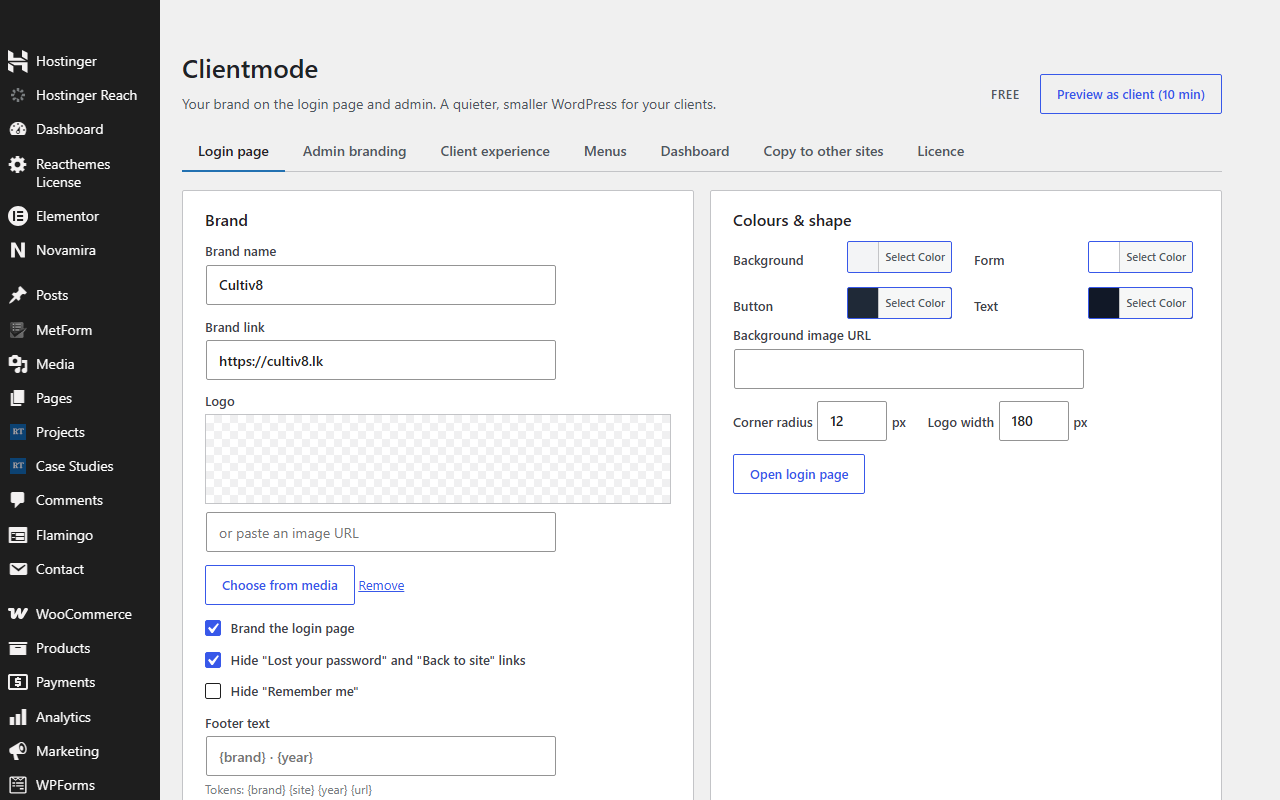
A login page in your brand
Logo, colours, background, corner radius. No WordPress links, no language picker. Done in a minute, works with any login-security plugin.
An admin with no nags
Plugin upsells, update badges, Site Health alarms, WordPress news: hidden for clients, still visible to you. Your logo in the bar, your name in the footer.
Only the menus they need
Tick what to hide. Pro hides single submenu items and specific plugins, and stops clients installing or deleting anything, even as administrators.
Pay once, or pay yearly. Never both.
Other white-label plugins are $49 to $99 a year. Yours should be a line item you pay once and forget.
Free
- Branded login page
- Admin bar logo and footer text
- Hide notices and update badges
- Hide top-level menus
- Client dashboard with your welcome panel
GPL. Also on WordPress.org.
Pro
- Everything in Free, plus a small Pro add-on you install next to it
- Copy your setup to every other client site, instead of ticking forty boxes on each handover
- Hide individual submenu items
- Hide specific plugins, and StoryNova Client View itself
- Block installs, updates and deletes for clients
- Admin bar control and custom admin CSS
- Licence for 2, 10 or unlimited sites, every future update
30-day refund, no questions asked. Terms.
Free against free
Paid against paid
Questions agencies ask
How do I install Pro?
Keep the free plugin installed and upload the StoryNova Client View Pro add-on from your purchase email, then paste your licence key on its Pro tab. The free plugin never expires and never locks anything; Pro only adds features.
My client is an administrator. Does it still work?
Yes. Client mode is decided by your agency list, not by role. Anyone not on the list gets the client experience, administrator or not.
Can I lock myself out?
No. Whoever saves the settings is always kept on the agency list, and "Preview as client" expires by itself after ten minutes.
Will it break my login-security plugin?
No. StoryNova Client View styles the standard login page instead of replacing it, so 2FA, reCAPTCHA and SSO keep working.
Do I still see updates and notices?
Yes. Everything is hidden only for clients. You always see the real state of every site.
How do I install it?
Download the zip, then in WordPress go to Plugins → Add New → Upload Plugin, choose the zip and click Install, then Activate. Pro features switch on when you paste your licence key on the plugin's Licence tab. No FTP and no build step. Updates arrive through the normal WordPress plugin updater.